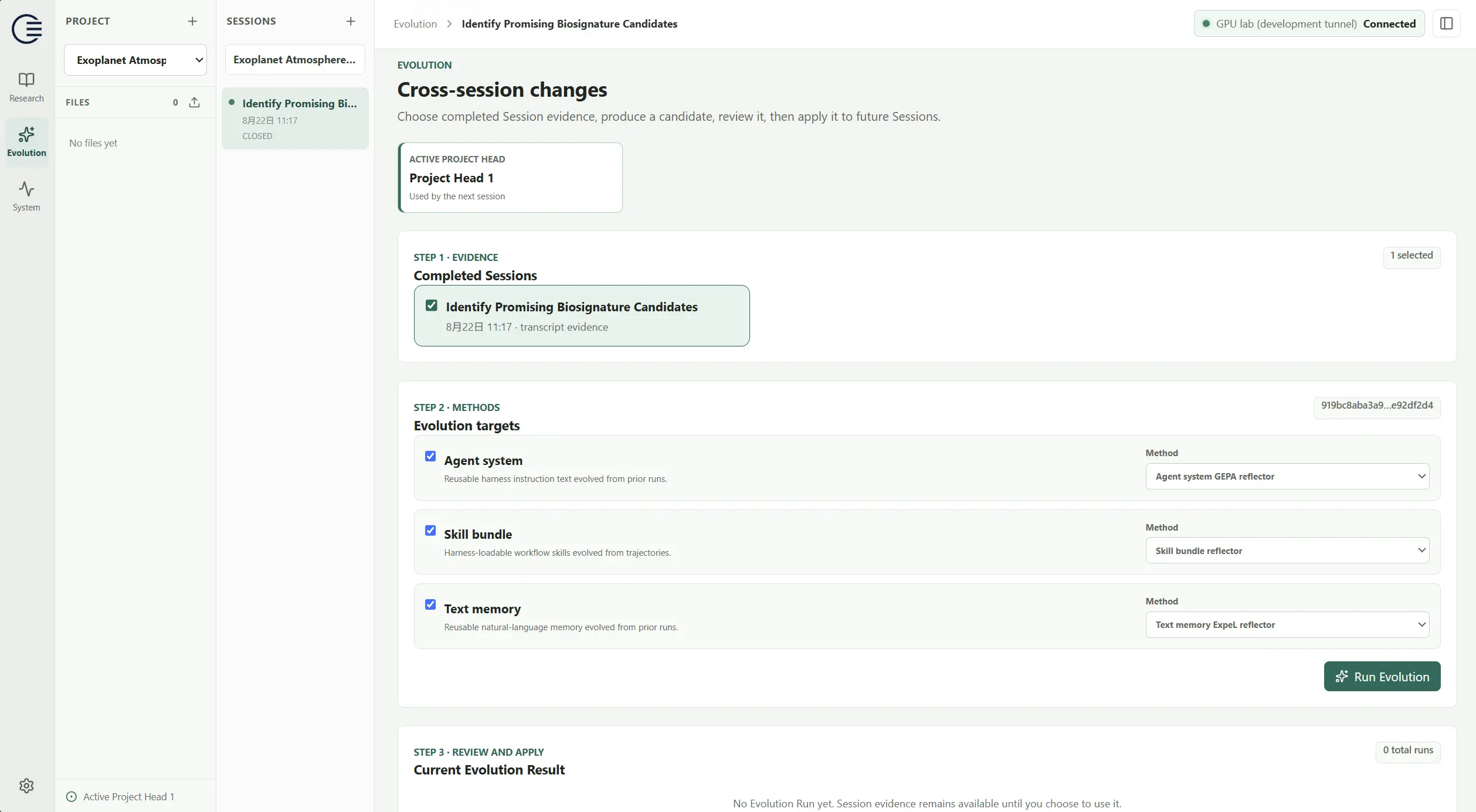
After completing some tasks, open Evolution. You can use the execution records from previous sessions to generate reusable improvements for future tasks.
Generate and apply improvements#
- Under Completed Sessions, select finished sessions relevant to the improvement you want to make.
- Under Evolution targets, enable the targets you want to improve and choose an available method for each.
- Select Run Evolution and wait for a candidate result.
- Read the generated content and changes, and judge whether they fit your project.
- When ready, select Apply to future Sessions.
- Return to Research, create a new Session, confirm that it uses the currently applied version, and start your next task.
Choose improvement targets#
Common targets include:
| Target | What it improves |
|---|---|
| Agent system | Instructions and working practices the Agent uses in future tasks. |
| Skills / Skill bundle | Procedures and skills that can be reused in related tasks. |
Check the applied version#
Review and apply a candidate before using that version in a new Session. Currently applied or Project Head identifies the context version currently in use. An ongoing conversation keeps the context it started with.
Choose evidence that is relevant and records a complete process. For example, combine a task that missed residual analysis with a follow-up that used residuals to identify a model problem. This can help future research follow a better review process.
Check whether an improvement helps#
After applying an Evolution result, test it with a related new task. For example:
Continue analyzing data/enzyme_rates.csv.

Compare the Michaelis–Menten model with a substrate-inhibition model
using the same data split. Report held-out error, residual patterns,
and parameter uncertainty. Explain which model is more appropriate.

Save the comparison scripts, figures, and conclusions in results/model_comparison/.
Check whether the new task follows your research requirements more closely: inspecting data, adding validation, preserving reproducible scripts, and explaining the limits of its conclusions.
An Evolution result still needs to be evaluated through actual task outcomes. Use new research records to refine the working process and run another round of validation.